
 UA
UA DE
DE FR
FR SV
SV PL
PL ES
ES IT
IT NL
NLString Art DIY Kit Instructions & FAQ
Thread painting based on your photo. Instructions
Create an image for your artwork and follow the step-by-step online instructions below. Create your artwork
If you have any difficulties or questions, please contact us: info@spatar.de
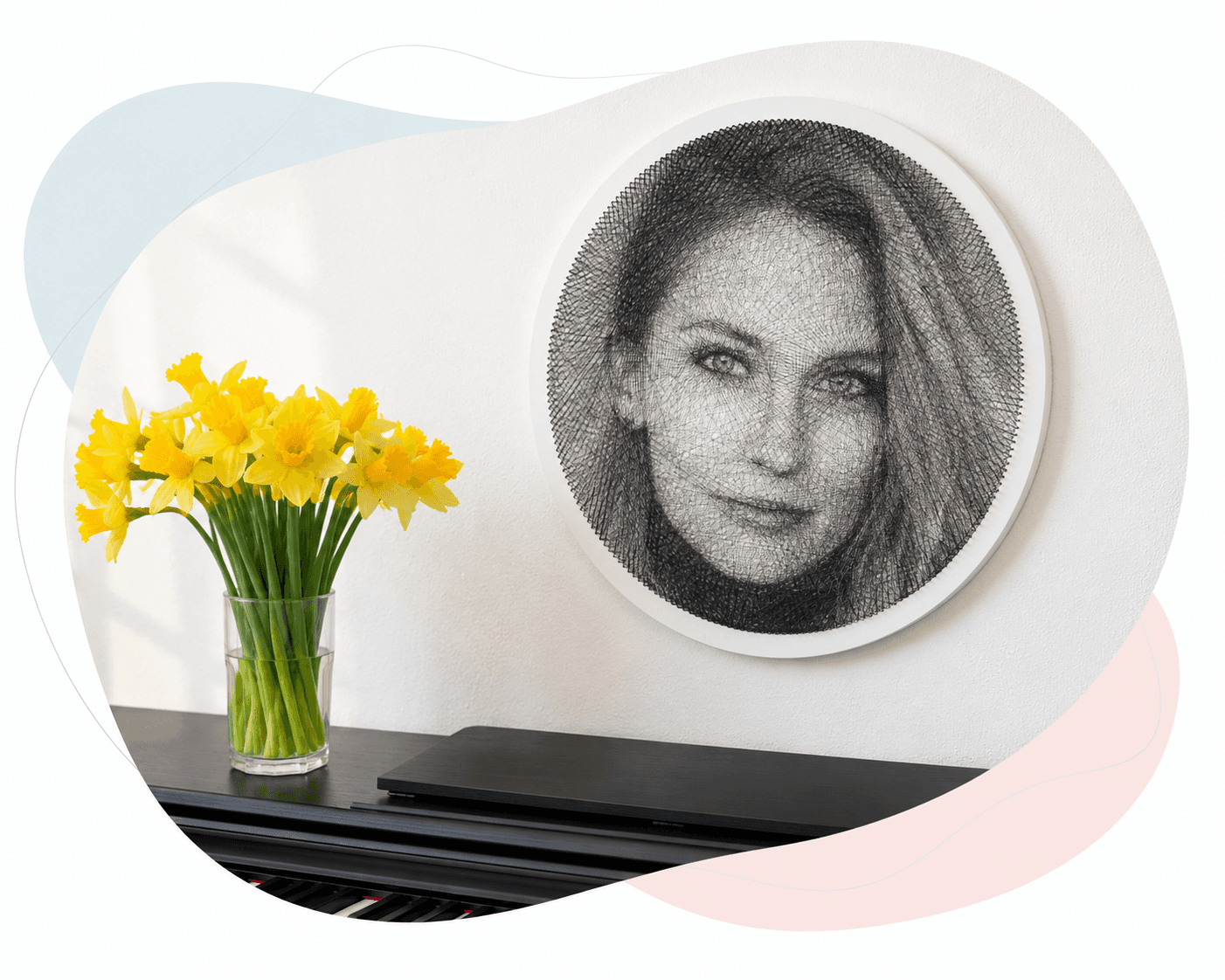
What will your creative process look like?
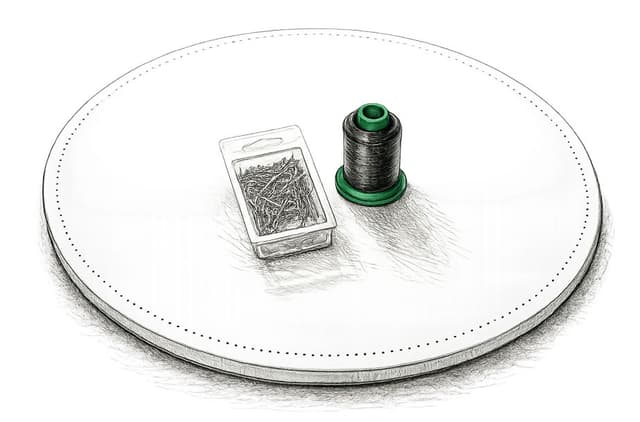
Remove the kit contents
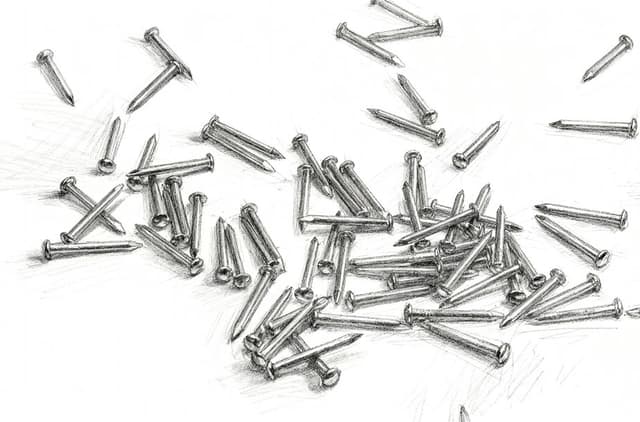
Remove the base, decorative nails, and spool of thread from the box.
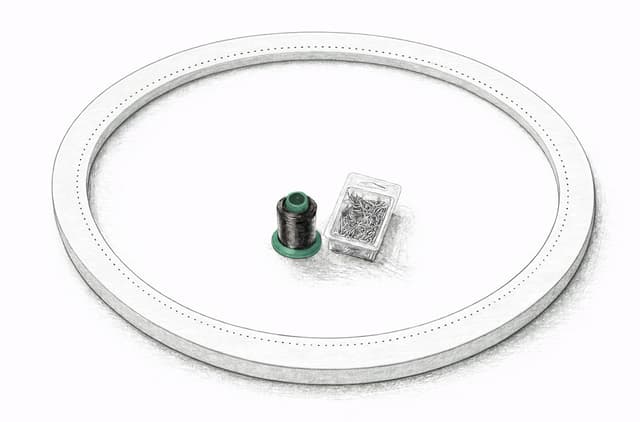
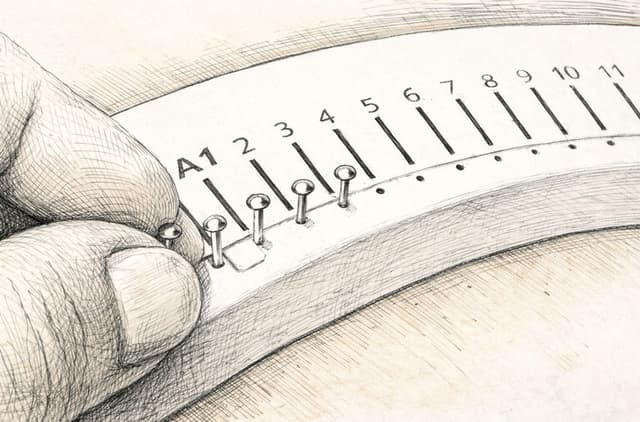
Insert the decorative nails
Insert the decorative nails into the pre-drilled holes in the wooden base. You may use the included thimble or another suitable tool to help insert the nails.
Place the numbered template correctly
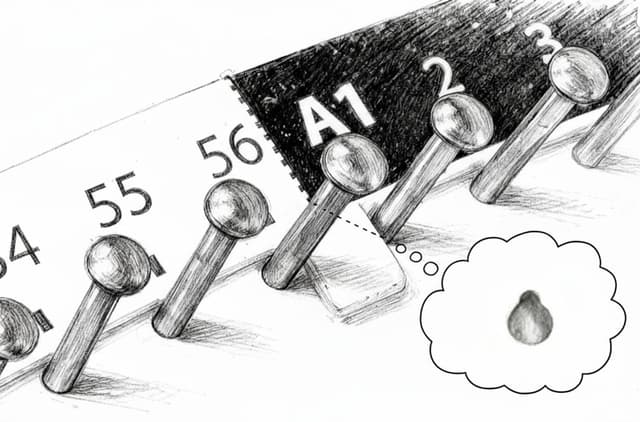
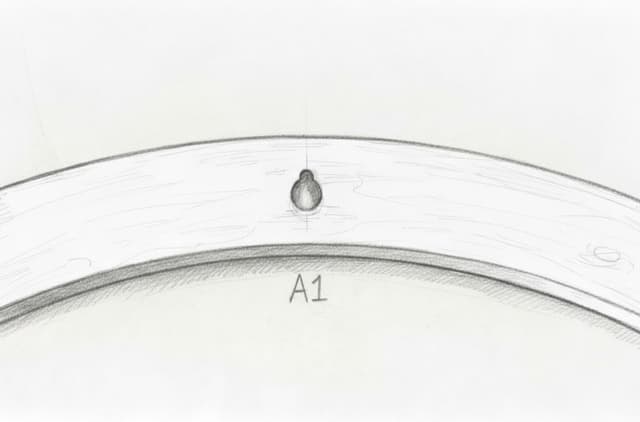
Make sure the numbered template is positioned correctly on the wooden base. Nail A1 should be at the top, directly in front of the wall-hanging hole on the back of the base. This helps ensure that the final artwork is aligned correctly when it is hung on the wall.
Assemble the box or easel
Assemble the box according to the diagram. Use it as an easel or place it flat on the table - choose what feels most comfortable.
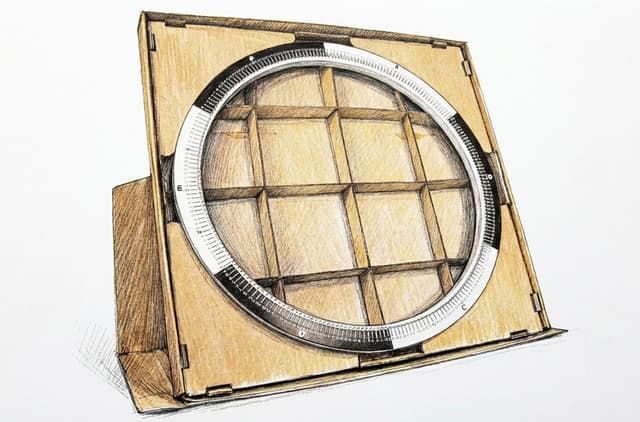
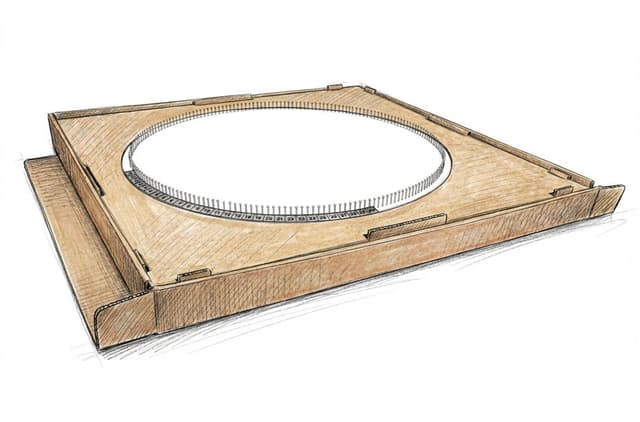
Prepare the thread spool
Place the spool so the thread can unwind smoothly while you work. Hold the thread comfortably and avoid pulling it too hard.
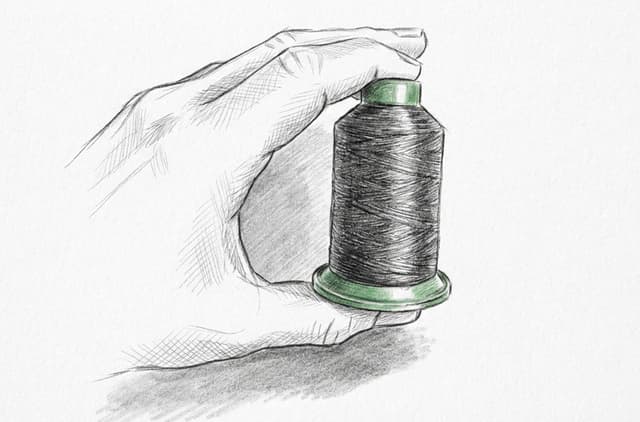
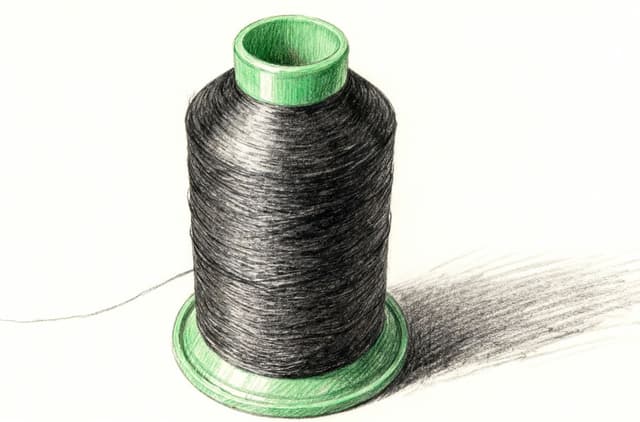
Generate your assembly instructions
Visit My account or create your artwork to generate the assembly instructions. They will be available as a PDF or in a more convenient online format in the My images section of My account.
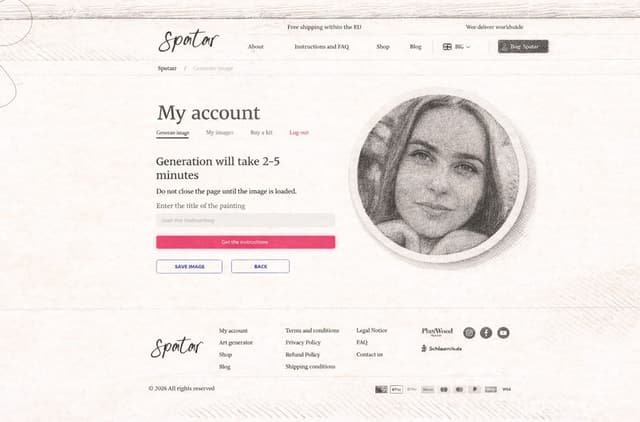
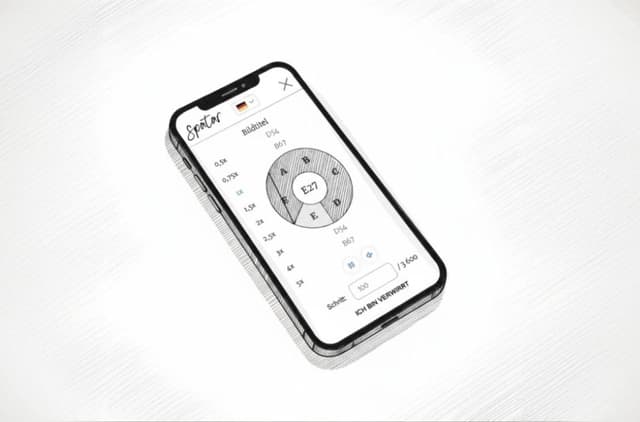
Open online assembly instructions
Open "Online assembly instructions" (recommended) and start assembling at a comfortable pace.
Start with a double knot
Begin at the first nail and tie the same simple knot shown in the pictures twice. This creates a secure double knot. After the double knot is secure, you can cut off the short thread end.


Guide the thread around the nails
Follow the numbered order and move the thread from the current nail to the next one, placing it around each nail so it stays in place.
For a cleaner result, keep the same direction every time: approach from the left side and let the thread leave on the right.
The thread does not need to be wrapped twice around every nail. Only the starting double knot secures it.

Keep light tension
Hold the thread comfortably and keep only light tension. There is no need to pull hard. As the thread layers build up, they support each other and naturally create the final image and overall tension.
As an optional safety step, you may tie a small double knot after approximately every 100 nail steps. This is not required, but it can help protect the artwork if the thread breaks or if some lines lose tension while you are working.

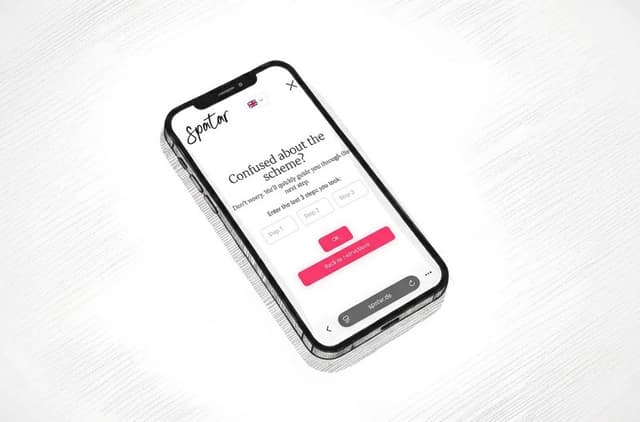
If you lose your place
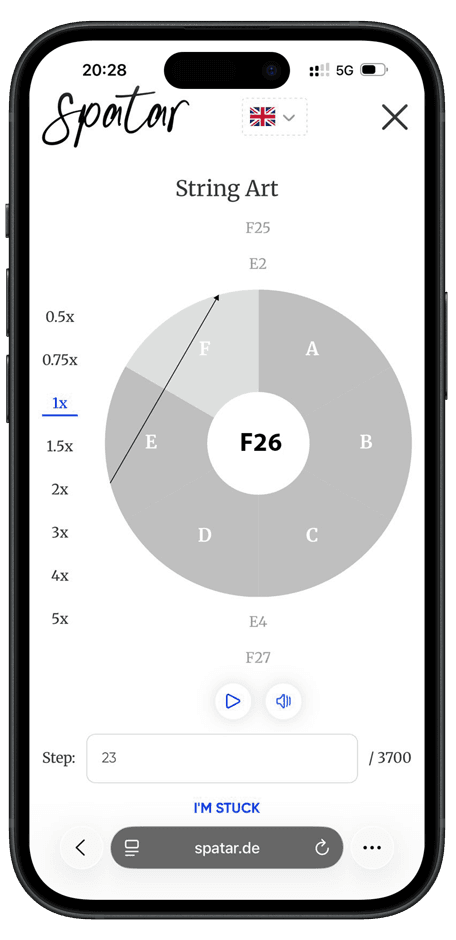
If you are lost, go to the “I'm stuck” page and enter the last 3 steps. The system will prompt you for the next step.
Finish the artwork
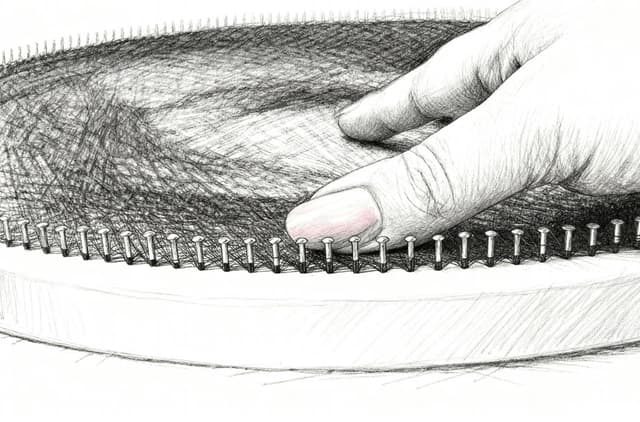
After completing the artwork, gently press the threads closer to the wooden base. This can make the image clearer and give the finished piece a cleaner look.
How to choose a photo for the artwork
Best suited:
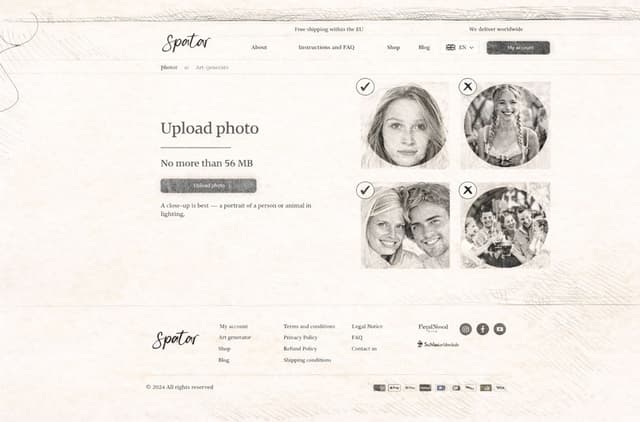
- High-contrast photos on a white or light background
- 1–2 faces, close-up portraits
- Clearly visible facial features
Not suitable:
- Full-body photos or photos taken from a distance
- Group photos with many people or details
- Blurry or dark photos
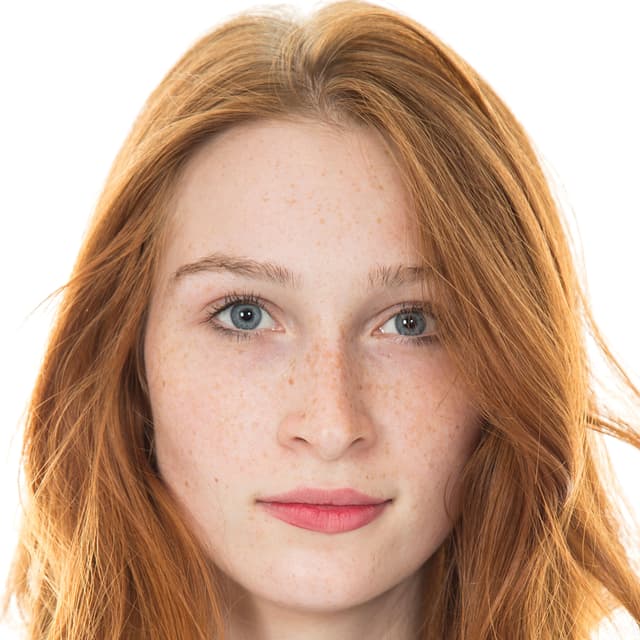
Best: close-up portrait with clear facial features 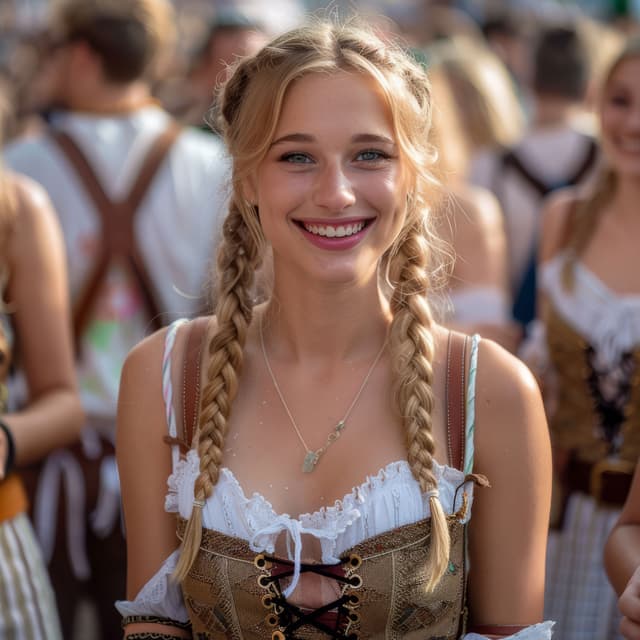
Avoid: face too far away or cropped out 
Good: one or two faces in sharp focus 
Avoid: group photos with many people or busy details
The simpler and clearer the image, the better the result!
Create your first image for the artwork
- Go to My account.
- Create your first image in the Art generator.
- In My account, open the "My images" section.
- Select the image you want to assemble.
- Open "Online assembly instructions" (recommended) and start assembling at a comfortable pace.
Already have generated images and created an account?
- Go to My account and log in.
- Open "My images" and select the desired image.
- Open "Online assembly instructions" (recommended) or download the PDF.
- Follow the step-by-step online instructions (with voice prompts) to assemble your artwork.
Online assembly instructions
- Select your preferred language
- Adjust the playback speed
- Press Play when you are ready to start assembling
- The system will guide you through each next step
- Press Pause if you want to take a break
- If you get confused, go to the “I'm stuck” page and enter the last 3 steps. The system will prompt you for the next step.
We answer frequently asked questions
What is String Art?
String Art is a DIY technique where you wrap thread around numbered nails to create a detailed image.Is this hobby suitable for a beginner?
Yes. The kit includes clear step-by-step guidance and online assembly instructions that help you stay on track. However, it is not suitable for children, as the kit contains nails.How many steps are there and how long does it take to complete?
Each artwork consists of approximately 3,000–4,000 individual winding steps. On average, completing a piece takes about 6–8 hours, depending on your pace and level of focus. The process does not need to be completed in one session—you can pause at any time and continue later using the online instructions.What should I do after receiving the kit?
After receiving the kit, unpack all components and insert the decorative nails into the pre-drilled holes in the wooden base. Once the base is prepared, upload your photo in the Art generator and generate your personalized instructions. You can then follow the step-by-step online winding guide at your own pace to assemble the artwork.How should I place the numbered template on the wooden base?
Place the numbered template so that nail A1 is at the top, directly in front of the wall-hanging hole on the back of the wooden base. This helps the finished artwork hang in the correct orientation.How do I start the thread?
Start at the first nail and tie the same simple knot twice so the thread is securely fixed. After the double knot is secure, you can cut off the short thread end.How should I guide the thread around each nail?
For the best result, always use the same direction: approach each nail from the left side and let the thread leave the nail from the right side. Keep this direction consistent during the whole artwork.Do I need to wrap the thread twice around every nail?
No. You do not need to wrap the thread twice around every nail. The double knot is only used at the beginning to secure the thread. After that, simply follow the numbered order and guide the thread around each next nail so it does not slip off.Can I add extra knots while making the artwork?
Yes. This is optional, but you may tie a small double knot after approximately every 100 nail steps. It can make the process safer if the thread breaks or if some lines lose tension while you are working.How much tension should the thread have?
Use only light tension and hold the thread comfortably. You do not need to pull hard. As the thread layers build up, they support each other and naturally create the final image and overall tension.What type of photos work best?
Choose a clear, high-contrast photo with a simple background and a well-defined subject.Do I need to edit my photo before uploading?
Not necessarily, but simple adjustments like cropping and increasing contrast usually improve the final result.Can I upload my photo directly to the Art generator?
Yes. Upload your photo in the Art generator, adjust it if needed, and create an artwork preview before generating the instructions.Can I preview how my image will look after assembling?
Yes. Upload your photo in the Art generator to see a preview of how the finished String Art will look before you start assembling.Will my photo be shared or leaked online?
No. Your uploaded photos and generated images are private and used only to create your artwork.Do I need to upload my photo when placing the order?
No. You can place the order first and upload your photo later from My account.Can I reuse my DIY Kit to make a new design?
Yes, you can reuse your DIY Kit to create a new artwork. The thread included in the kit is sufficient for up to two complete designs. However, each artwork is generated from a specific photo and has a unique thread path and winding order. This means that for every new design, a new diagram and set of instructions must be generated in the Art generator.Do I need an app to get the instructions or use the Voice-Guided Assistant?
No app is required. The online assembly instructions run directly in your browser, work smoothly on a phone like an app, and include optional voice guidance. There is no separate app to install.Can I experiment with photos before buying?
Yes. Before purchasing a kit, you can upload different photos to the Art generator and preview how they will look as string art. You can experiment with multiple images, adjust settings, and explore how the assembly process works. This allows you to choose the photo that gives the best visual result before committing to a purchase.Can I buy a DIY Kit as a gift and let the recipient upload the photo?
Yes. A DIY Kit can be purchased as a gift without selecting a photo in advance. The recipient can later upload their own photo in the Art generator, generate personalized instructions, and create an artwork that is meaningful to them. This makes the kit a flexible and personal gift option.What if any components are missing or damaged?
Please contact support and include your order details and a photo of the issue so we can help quickly.What if I make a few mistakes during the process?
No worries. You can carefully unwind a small section and continue. If you lose your place, use the “I'm stuck” feature to find your current step and resume easily.What if I haven't received my artwork preview?
Check My account → My images first. If it’s not there, contact support and we’ll assist.What if I'm not satisfied with the artwork preview?
Try uploading a different photo or adjusting the crop/contrast. Small changes often make a big difference.Can I assemble in offline mode, without internet?
Yes. You can use the PDF diagram offline. Online assembly instructions and voice guidance require an internet connection.